Home » Archives for PowerBIDocs »
PowerBIDocs


How to Calculate Year over Year(YOY) Growth % in Power BI?
Power BI – Year over Year (YOY) growth percentage DAX formula. Read More


Optimizing Power BI reports: Best Practices and Tips
How to improve Power BI report performance? Techniques for optimizing Power BI reports. Read More

DAX Query View in Power BI Desktop
DAX Query View in Power BI Desktop. Fourth View in Power BI. Read More

How to Connect Power BI to Snowflake?
Load Snowflake data into Power BI. Connect Power BI with Snowflake. Read More

Set visual query limits in Power BI Desktop
Set visual query limits in Power BI Desktop, Query limit simulations in Power BI. Read More

Power BI Pricing Explained: Choose the Right Plan for Your Needs
Microsoft Power BI Pricing: cost , pricing plans & features | what are the different types of licenses in Power BI? Read More
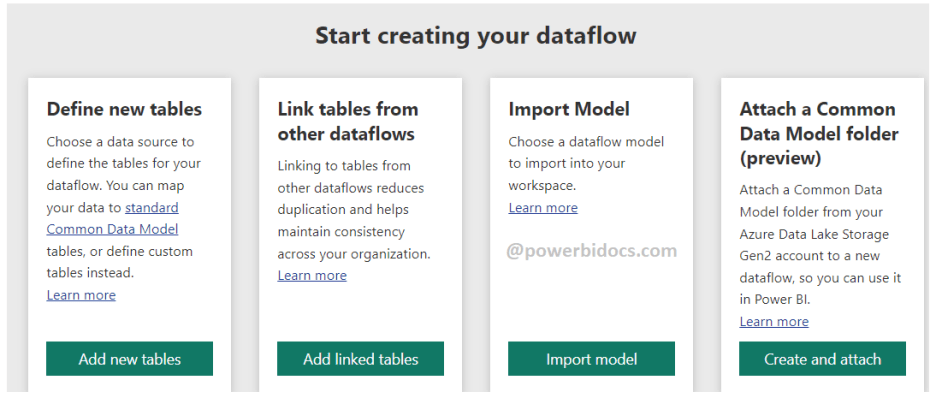
Power BI Dataflows – Step-by-Step Guide to Creating a Dataflow
Power BI Dataflows – Where to Create Dataflows? and usage of Dataflows? Read More

Smoothed and Leader lines in Microsoft Power BI
Smoothed and Leader lines in Microsoft Power BI Read More

Exploring DateTime Functions in DAX: Syntax, Examples, and Common Queries
Exploring Date and Time Functions in DAX: Syntax, Examples, and Common Queries Read More
DAX Interview questions and answers
Top DAX Interview Questions and Answers | Most asked DAX Questions and Answers Read More

Date.DayOfWeekName – Power Query M Function
How to get the day of week name in Power Query ? The Date.DayOfWeekName Power Query M Function. Read More

Text.Combine – Power Query M Function
The Text.Combine – Power Query M Function. Combine text from multiple columns in Power Query. Read More

Text.Split – Power Query M Function
The Text.Split function in Power Query’s M language. Split the customer name into first & last name. Read More


ISONORAFTER DAX Function
The ISONORAFTER DAX function is used to return a record from the start position specified in condition Read More


SAMPLE DAX Function
SAMPLE DAX function is used to returns a sample of N rows from the specified table. Read More

RELATED DAX Function
The Related Function is a DAX function in Power BI that allows you to retrieve related values from a related table in the Data Model. Read More

Power BI Merge Queries Vs Append Queries
In Power BI, Merge queries and Append queries are two methods of combining data from multiple tables or data sources. Read More
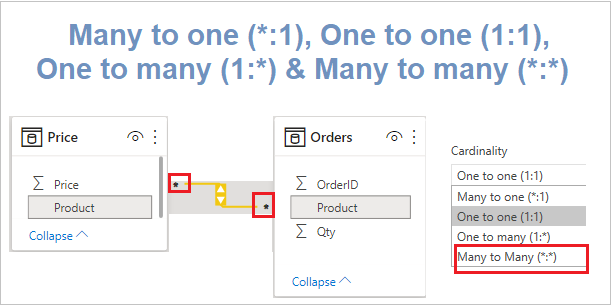
Cardinality in Power BI
Cardinality in Power BI refers to the relationship between two tables in a data model. Read More