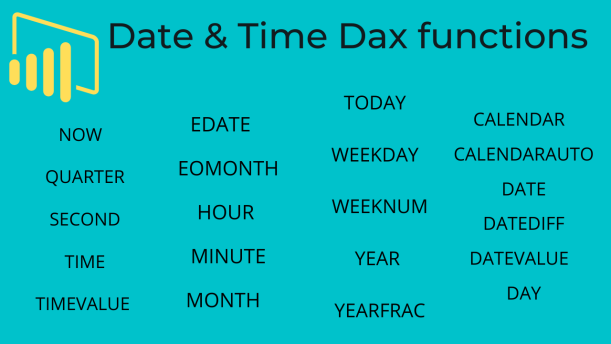
Power BI support more then 20 types of Date & Time Dax functions, these functions help you create calculations based on dates and time.
Refer this also : Exploring DateTime Functions in DAX: Syntax, Examples, and Common Queries
However, DAX functions use a datetime data type, and can take values from a column as an argument.
Date & Time Dax functions description as below :
| S.No | DAX | Definition |
| 1 | CALENDAR | Returns a table with a single column named “Date” that contains a contiguous set of dates. |
| 2 | CALENDARAUTO | Returns a table with a single column named “Date” that contains a contiguous set of dates. |
| 3 | DATE | Returns the specified date in datetime format. |
| 4 | DATEDIFF | Returns the count of interval boundaries crossed between two dates. |
| 5 | DATEVALUE | Converts a date in the form of text to a date in datetime format. |
| 6 | DAY | Returns the day of the month, a number from 1 to 31. |
| 7 | EDATE | Returns the date that is the indicated number of months before or after the start date. |
| 8 | EOMONTH | Returns the date in datetime format of the last day of the month, before or after a specified number of months. |
| 9 | HOUR | Returns the hour as a number from 0 (12:00 A.M.) to 23 (11:00 P.M.). |
| 10 | MINUTE | Returns the minute as a number from 0 to 59, given a date and time value. |
| 11 | MONTH | Returns the month as a number from 1 (January) to 12 (December). |
| 12 | NOW | Returns the current date and time in datetime format. |
| 13 | QUARTER | Returns the quarter as a number from 1 to 4. |
| 14 | SECOND | Returns the seconds of a time value, as a number from 0 to 59. |
| 15 | TIME | Converts hours, minutes, and seconds given as numbers to a time in datetime format. |
| 16 | TIMEVALUE | Converts a time in text format to a time in datetime format. |
| 17 | TODAY | Returns the current date. |
| 18 | WEEKDAY | Returns a number from 1 to 7 identifying the day of the week of a date. |
| 19 | WEEKNUM | Returns the week number for the given date and year according to the return_type value. |
| 20 | YEAR | Returns the year of a date as a four digit integer in the range 1900-9999. |
| 21 | YEARFRAC | Calculates the fraction of the year represented by the number of whole days between two dates. |
Watch 35 min. practical video to understand working of all date & Time Dax functions in detailed :-
Hope you enjoyed the post. Your valuable feedback, question, or comments about this post are always welcome or you can leave us message on our contact form , we will revert to you asap.

Amazing sir
I am following this website and this is really helpfull
Regards
Deepak Dutt
Thanks Deepak
can u please share the practice file to proctice