In this blog, you will gain an understanding of how the “ROW” DAX function operates. This function falls within the “Table manipulation” function category.
The Row DAX function returns a table with a single row containing values that result from the expressions given to each column.
Syntax
ROW(<name>, <expression>, <name>, <expression>.....)
Parameters
name- The name given to the column, enclosed in double quotes.
expression- Any DAX expression that returns a single scalar value to populate. name.
Note
- Arguments must always come in pairs of name and expression.
- This function is not supported for use in Direct Query mode when used in calculated columns or row-level security (RLS) rules.
Return Value
The ROW function returns a single row table.
Let’s get started-
Download the sample Dataset from below link-
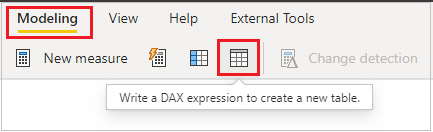
Now, create a new table using a DAX expression by following these steps:
- Navigate to the “Modeling” tab.
- Choose the option labeled “Write a DAX expression to create a new table.
After that write below DAX code-
Table = ROW("Total Sales", SUM(Orders[Sales]),

"Total Profit", SUM(Orders[Profit]),

"Total Discount", SUM(Orders[Discount]))
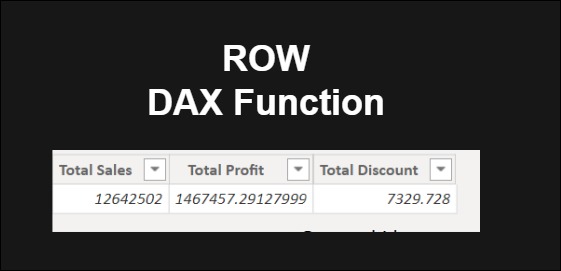
This function will generate a single-row table containing the total sale, profit, and discount values. Refer to the result displayed in the screenshot below for visualization.

Refer DAX post:- DAX Tutorials
