
In July 2023, Power BI released Smoothed and Leader lines feature for Line and Area chart.
Now report developer have the ability to create smoother line and area charts, providing a more polished look to their visualizations.
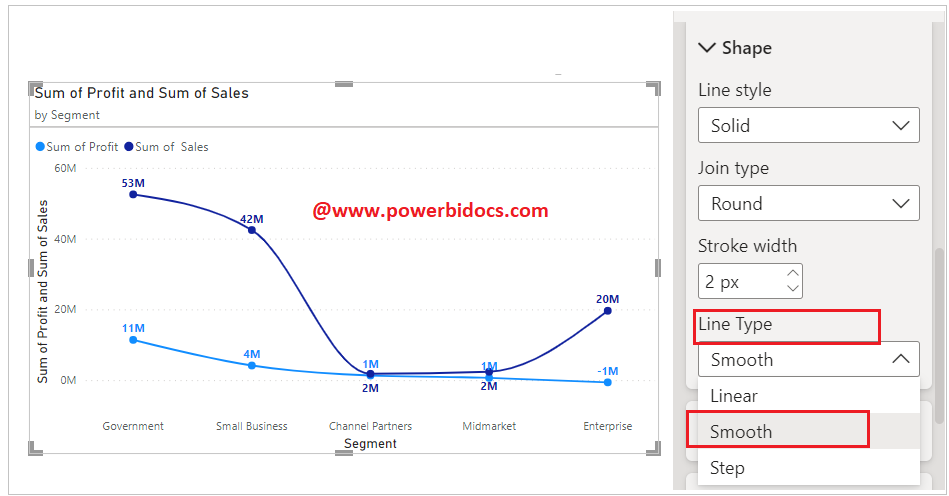
How to enable smooth line type?
To access this feature, Select the visual> Go to the Lines> Shape> Choose Line Type Smooth.
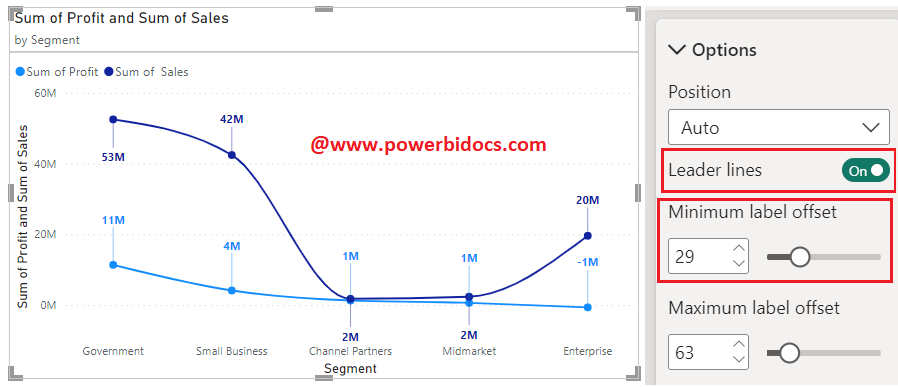
How to enable leader lines?
To access this feature, simply navigate to the Data labels > Options > Leader lines.
You can also enable series labels for chart
Select the visuals> turn on the series labels.

Refer other Power BI topics: Power BI Visuals
