
In Power BI, Row-Level Security (RLS) is employed to limit data access for specific users. Filters are used to restrict data access at the row level, and you can define these filters within roles.
Define Roles in Power BI Desktop
Step-1: Import Data into Power BI Desktop.
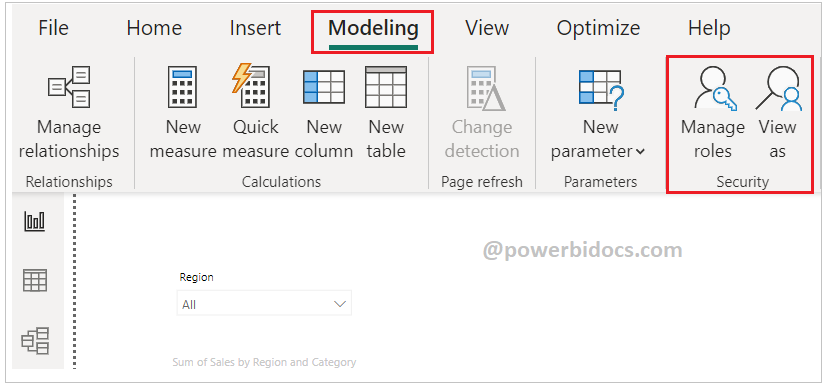
Step-2: Under the Modeling tab, select ‘Manage Roles’.
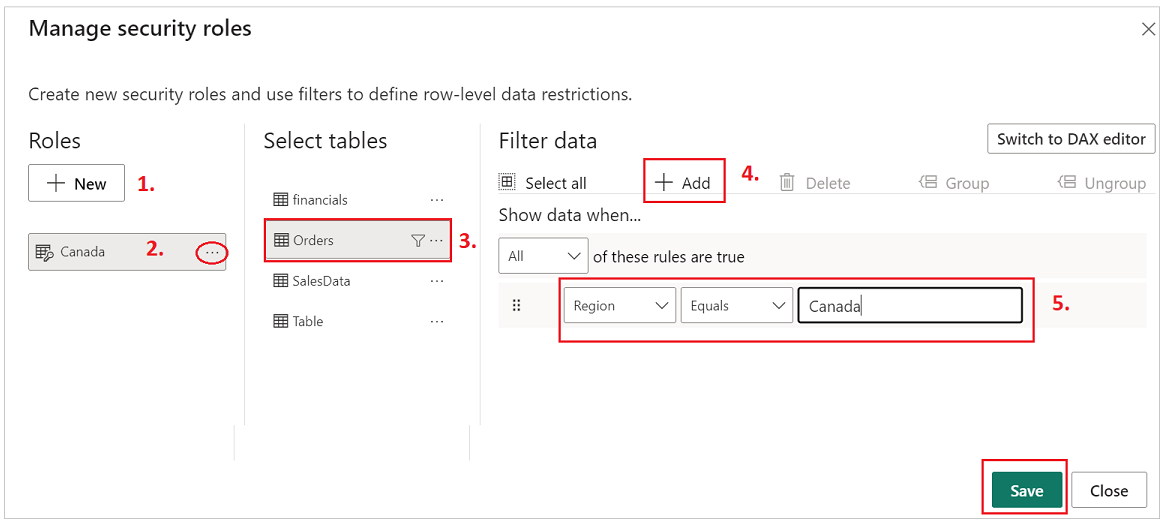
Step-3: Create roles for users: Click on ‘New’, assign a name for the role, select the dataset, click the ‘Add’ button, and choose the column name to assign the value. Refer to the screenshot below for reference.
Note: You can also create a rules through DAX editor.
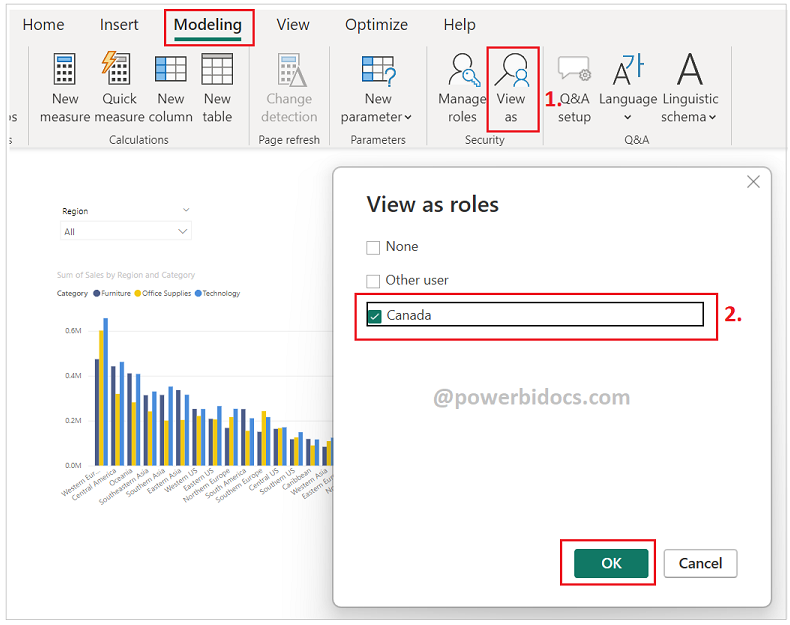
Step-4: To test the roles, go to the “Modeling” tab, click on “View as”, select the roles, and then click “OK.”
Step-5: You can observe the screenshot below, data has been filtered according to the created roles. Click ‘Stop Viewing’ to discontinue viewing the results for these roles.

Step-6: Now, publish the report to Power BI Service.
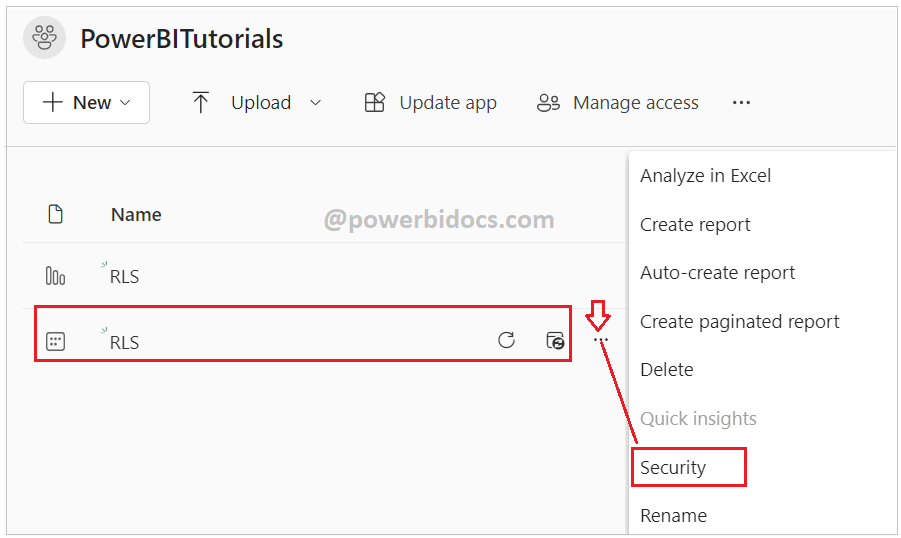
Step-7: In the Power BI service, navigate to the report dataset properties, and select ‘Security’.
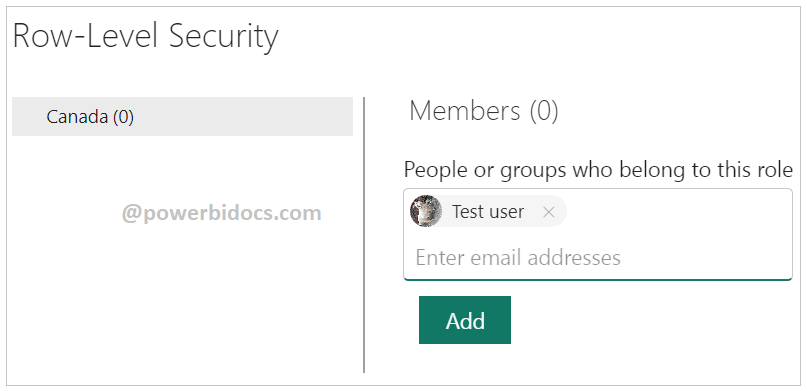
Step-8: Assign the roles to the user. Enter the user’s email address or add the group name as well. After that, click on the ‘Add’ and ‘Save’ buttons.
Step-9: Make sure the user has the required report access privileges. Then, log in with that user ID and review the report.
You can see the screenshot below, data is displayed based on assigned roles for the user.

Hope you enjoyed the post. Your valuable feedback, question, or comments about this post are always welcome or you can leave us message on our contact form , we will revert to you asap.

Do we need to give workspace reader access to that user